 Sampularity
v1.1.0 Windows & macOS · CLAP plug-in included
Find the sound you didn’t know you had.
Sampularity pulls hundreds of thousands of samples into one searchable, listenable, similarity‑mapped library. On your desktop and inside your DAW. All your samples, one gravity well.
- 30 days, full feature set
- No credit card
- One-time purchase, no subscription
- 1,000,000+samples per library, instantly scrollable
- AutomaticBPM, key and chord detection on import
- 5-aspectweightable similarity search
- 30 daysfree trial, full feature set
Features
It has heard every file you own.
You have not, and nobody has: a collection grows faster than anyone can audition it. Sampularity works through all of it on your own machine, reading tempo, key, timbre and tags out of the audio rather than the filename. What comes out is a library that knows more about your sounds than you do.
Massive-library browser
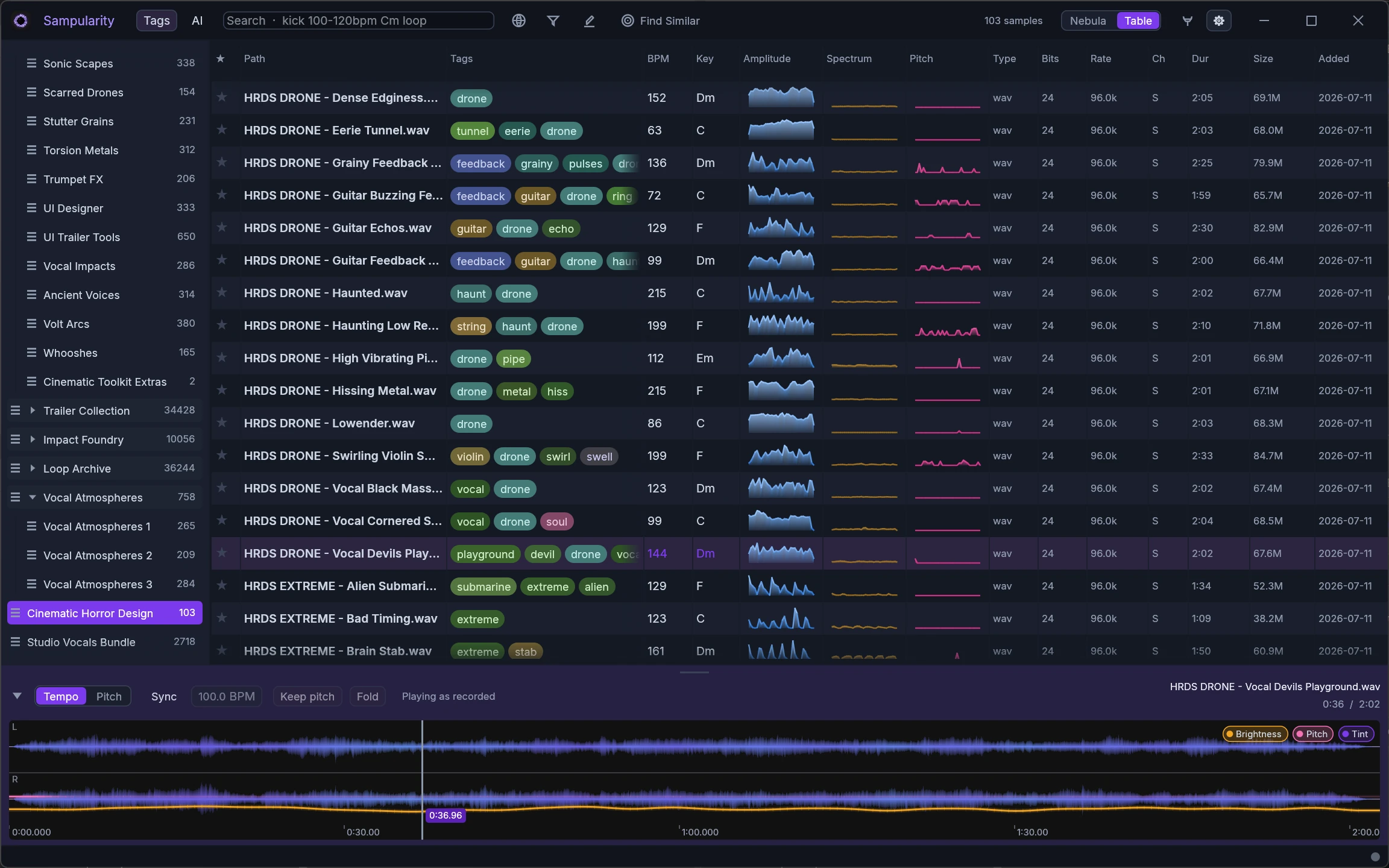
A virtualized table that stays butter-smooth at any library size. Sort, filter, star and audition hundreds of thousands of samples without a single stutter.
Deep audio analysis
BPM, musical key and chord detection for every file, plus amplitude, brightness and pitch contours you can read at a glance.
Automatic tagging
Auto-tagged against the industry-standard UCS taxonomy with thesaurus-based synonym matching. Your library organizes itself.
Instant preview
A low-latency player with waveform and playhead. Sounds start the moment you land on them, so auditioning feels like flipping through ideas.
Libraries & collections
Drop folders to import: a fast scan makes everything browsable immediately while analysis enriches in the background. Group libraries, build collections.
Your files never move
Sampularity indexes your samples exactly where they are. Nothing is copied into a vault, renamed, re-encoded or rewritten. Uninstall it and your folders are untouched.
Runs on your machine
Analysis, tagging, similarity and the Nebula are all computed on your own hardware: no uploads, no render queue, no account, and nothing waiting on someone else’s server.
Preview latency is measured, not assumed: a typical one-shot or loop starts within a few milliseconds of landing on it, and the longest file we tested (five minutes, 97 MB, read cold from disk) took about a tenth of a second. Longer files, compressed formats and slower drives all cost more. How we measured.
The zidArts engine
Powered by zidCore
Everything above sits on one foundation: zidCore, the engine we build and maintain ourselves. Software engineering at the highest level, pointed at a single uncompromising demand: hundreds of thousands of files that stay instantly browsable while the machine is busy analyzing every one of them. Years of work went into it, and every one of those years went into performance and stability. You never wait for Sampularity. Sampularity waits for you.
- The same at any size. Ten samples or five million: a screenful of table costs the same either way, and searching half a million takes milliseconds.
- Nothing blocks the browser. Import and analysis stay out of sight; you keep browsing and listening while they catch up behind you.
- Built to stay standing. Long sessions, huge imports, hours of work. Hardened for the days you forget it is running.
- Quiet when idle. A window you are not using costs next to nothing. Your battery notices.
Speed depends on your library and your machine. The figures behind these claims, and the cases where they do not hold, are on our benchmarks page.
zidCore Engine
Developed in-house at zidArts
- Response
- ~6 ms a screenful, any library size
- Largest library tested
- 5,034,472 samples
- Import
- 25,000 files/s, playable as they land
- Analysis
- Parallel across every CPU core
- Runs as
- Standalone app and CLAP plug-in
- Platforms
- Windows · macOS
The best of both worlds. zidCore is built to a standard that leaves nothing on the table, and Sampularity is built by the people who use it. Engineering rigour and studio instinct are not separate departments here, which is why raw speed actually lands where a session needs it.
Similarity search
Find similar samples in seconds
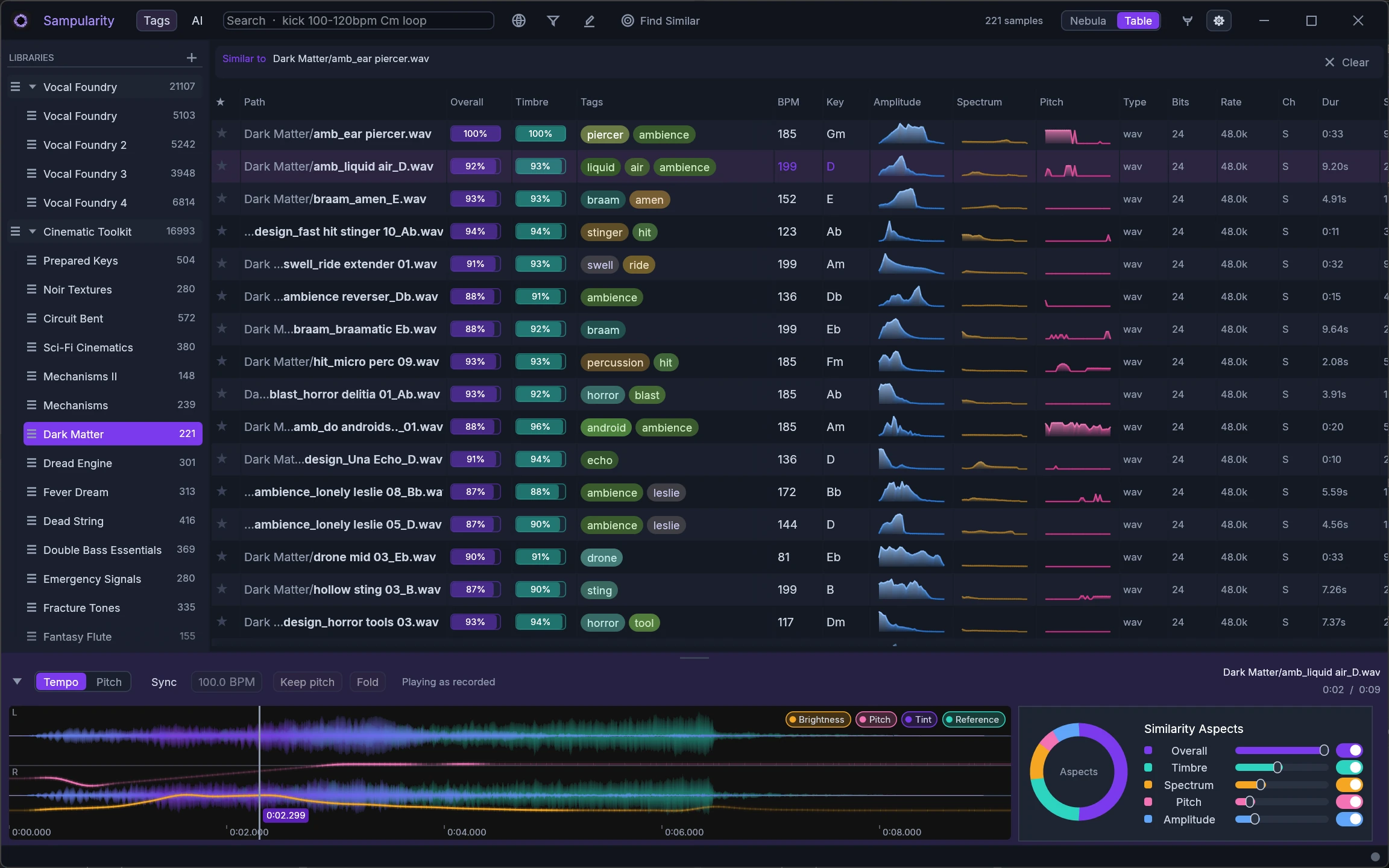
Heard something close to what you need? Pick any sample and Sampularity ranks your whole library by how similar it sounds. Not by name, not by folder, not by tag.
- Five weightable aspects: Overall, Timbre, Spectrum, Pitch, Amplitude
- Steer the search on the aspects panel: more of this texture, less of that pitch
- Match percentages right in the table, so you can audition down the list until it clicks
Nebula
Your library, mapped by sound
Nebula pulls every sample into space and draws sounds that belong together into glowing clusters. Fly through neighbourhoods of kicks, textures and vocals instead of digging through folder trees.
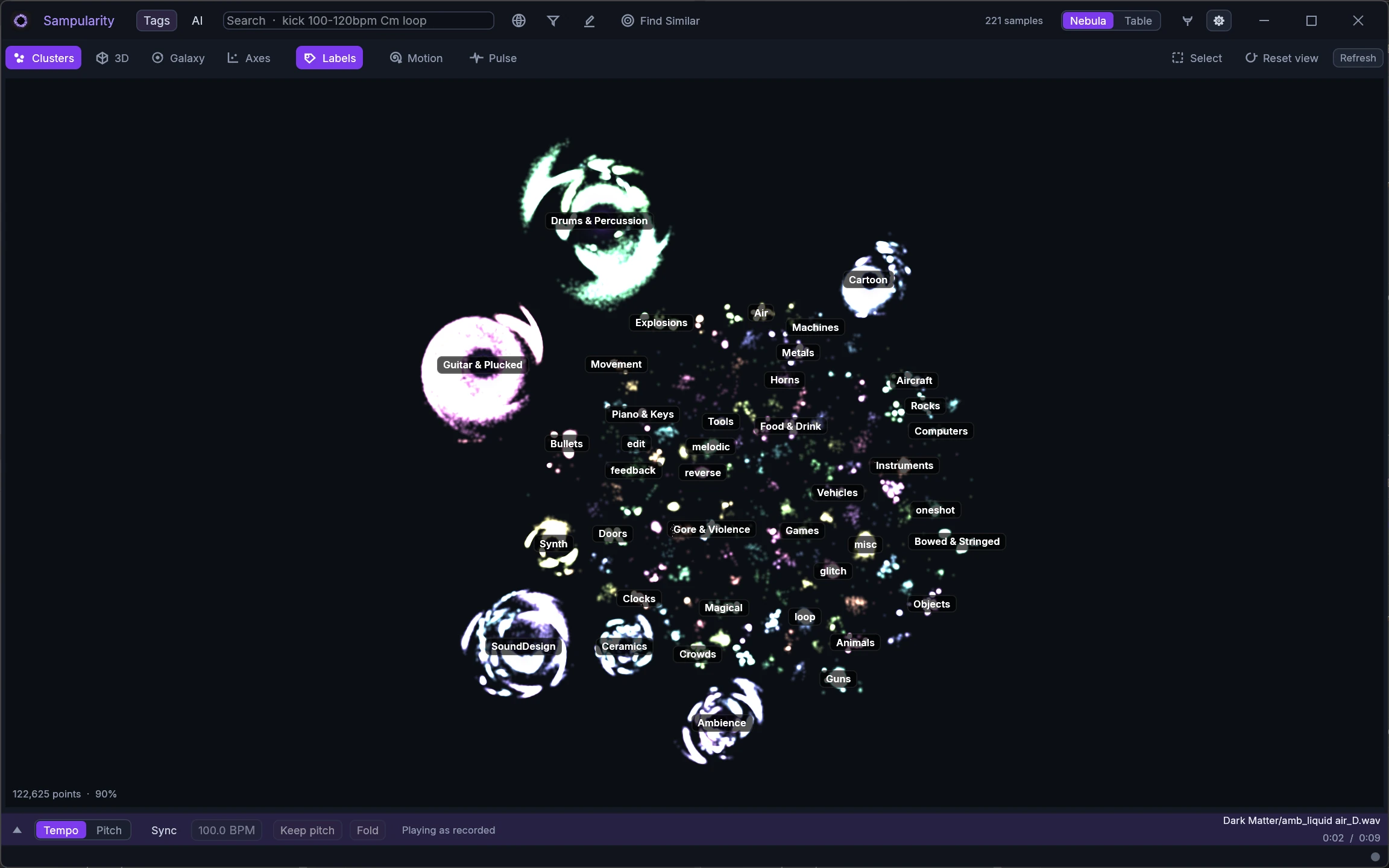
Clusters, not folders
Sounds group by sonic similarity, or scatter along any attribute you choose.
2D and 3D
Fly through the map with tag-coloured regions and legends, or flatten it for a quick overview.
Click a star, hear it
Every point plays instantly and jumps you straight to its nearest neighbours.
Same measured path as the table preview: a few milliseconds for a typical sample, about a tenth of a second for the longest file we tested, depending on its length, format and your drive. How we measured.
Smart search
Search the way you think
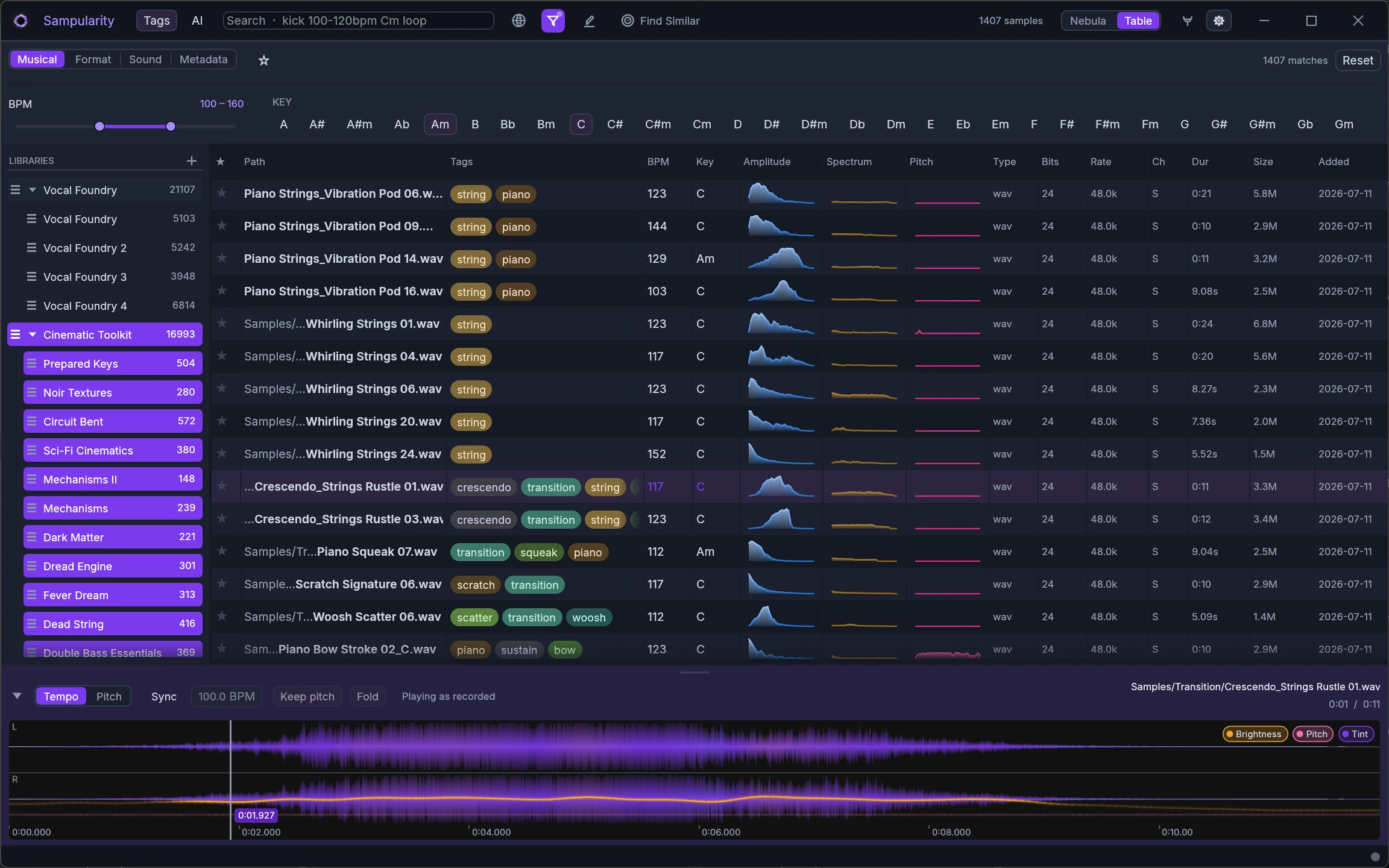
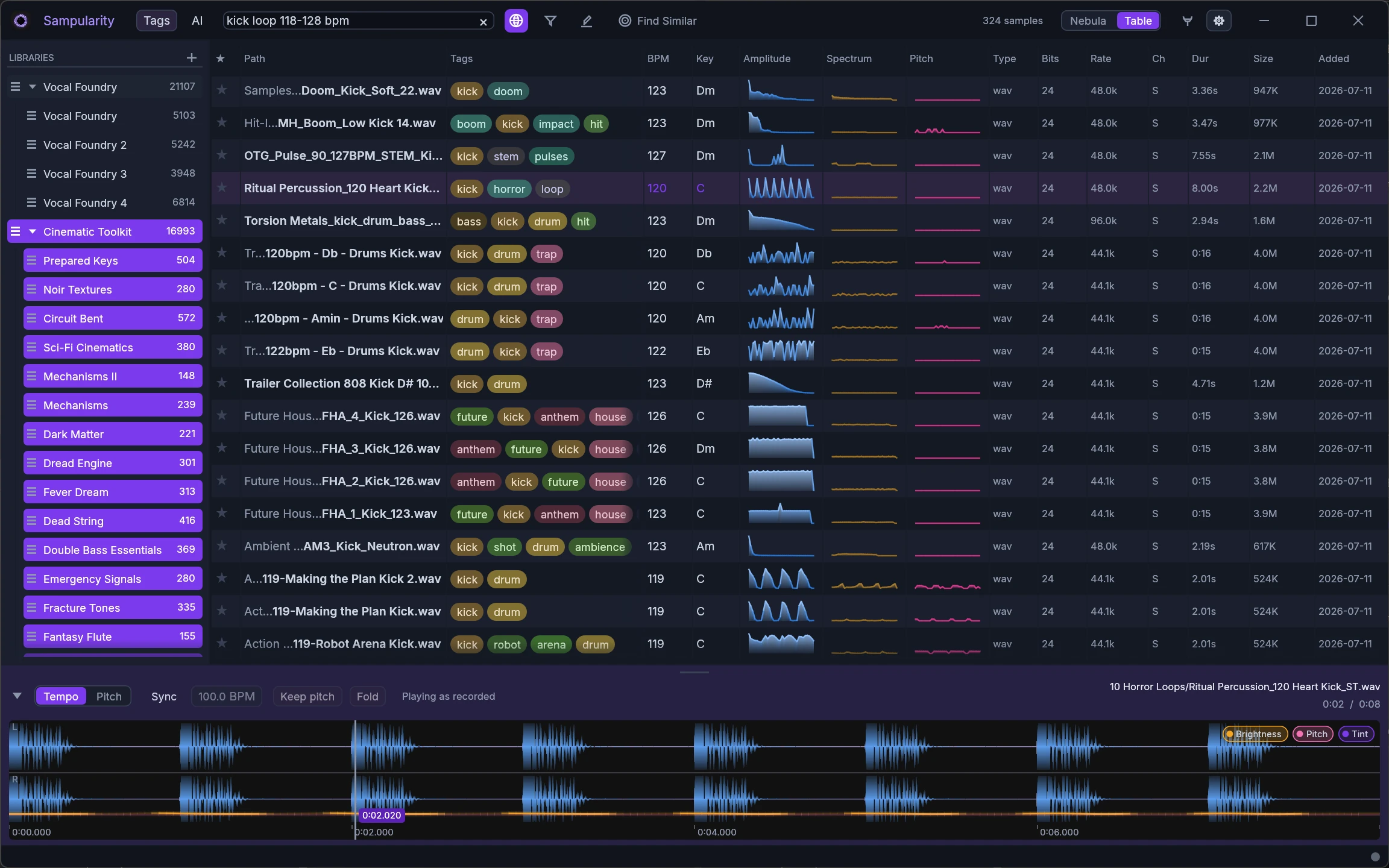
One search box understands musical language. Tempo ranges, keys, duration, sample type: write them the way you’d say them, and Sampularity turns your words into precise filters.
- BPM values and ranges: 100-120bpm, 174bpm
- Musical keys: Cm, F#, Amaj
- Type and length: loop, oneshot, duration filters
Import
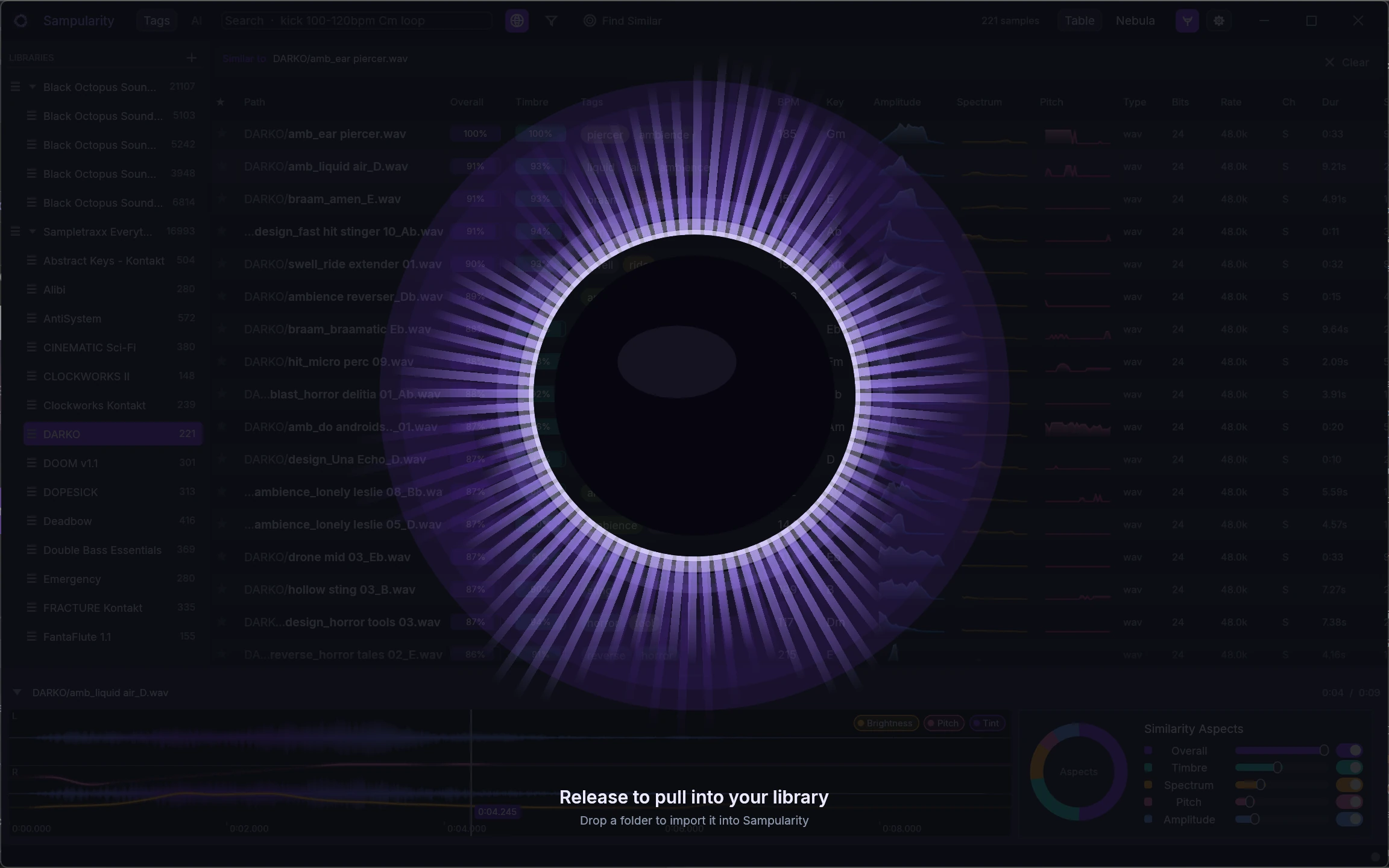
Feed the gravity well
Importing is a drop, not a project: release a folder over the black hole and a fast scan makes every sample browsable within seconds, while analysis fills in BPM, keys, contours and tags in the background. No blocking dialogs, no waiting.
- Two-phase import: browse immediately, enrichment catches up behind you
- Auto-tagging against the UCS taxonomy with synonym matching
- Organize into library groups and collections as you go
In your DAW
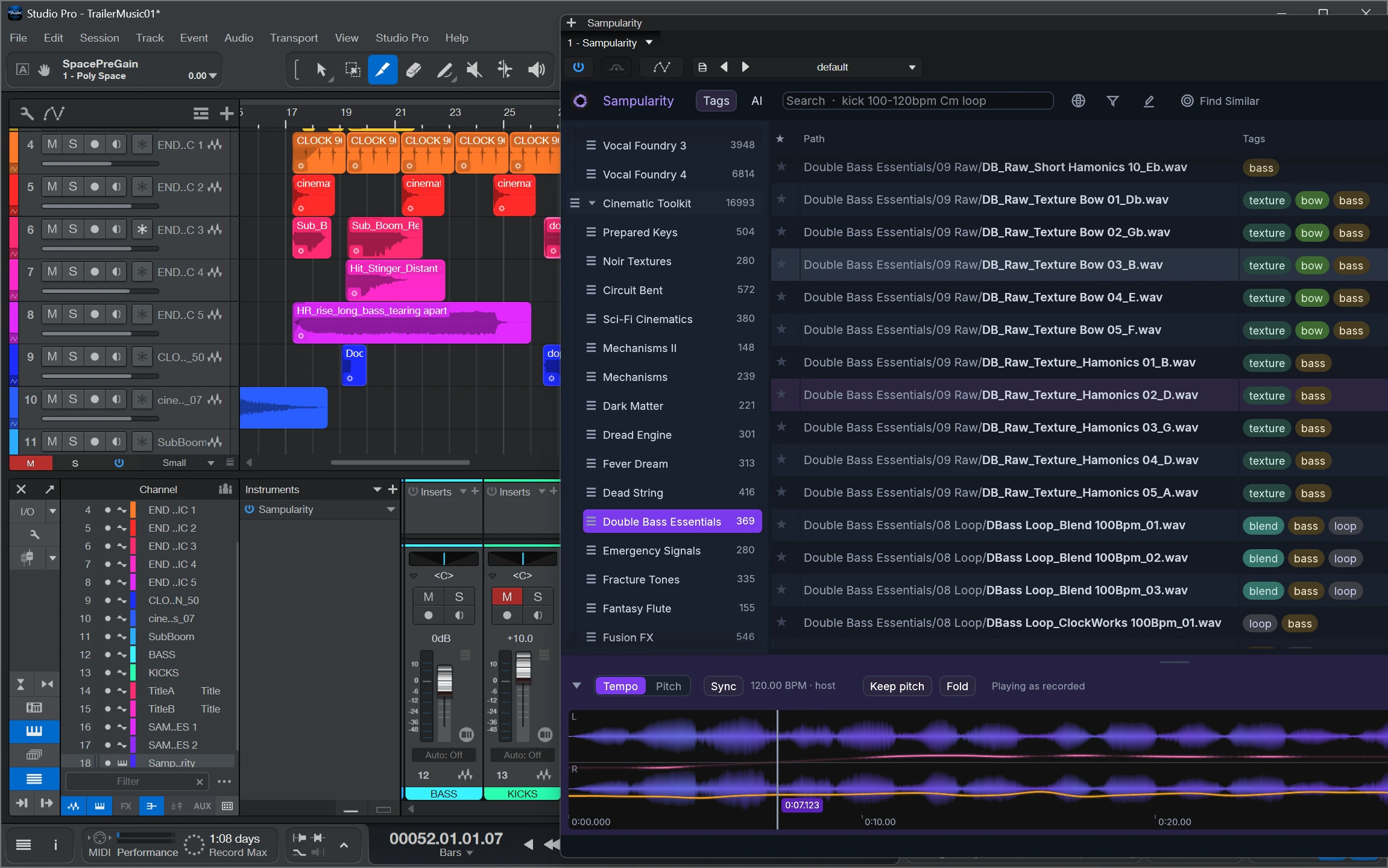
A sample browser that lives inside your DAW
Load Sampularity as a CLAP plug-in and browse, search and audition without ever leaving your session, then drag any result straight onto a track. Prefer standalone? Pin the window always-on-top next to your DAW and work the same way.
It also reads the tempo of your session, shown in the transport row. Switch tempo sync on and a loop whose tempo Sampularity is confident about auditions at your project speed with its pitch left where it was; a one shot, or a loop nobody can be sure about, plays exactly as recorded and says so. Beside it sits a pitch offset for auditioning, in semitones, sample rate or percent.
- CLAP plug-in for any CLAP-capable DAW
- Drag & drop directly into your arrangement
- Loops follow the project tempo, pitch intact
- Always-on-top pin mode for the standalone app
Pricing
One price. Yours forever.
No subscription, no rental. Try everything free for 30 days, then pay once.
Free Trial
€0
30 days, full feature set
- Every feature unlocked
- Standalone app + CLAP plug-in
- No credit card required
Perpetual License
€59 once
Founders price. Final price including VAT. Outside the euro area you pay in your local currency; the exact amount is shown at checkout.
- Perpetual license, no subscription
- 3 installations for your own use
- Standalone app + CLAP plug-in
- All updates of version 1.x, then yours to keep
- One-time online activation on first launch
Payments are securely processed by Paddle.com, our merchant of record. See our Terms of Use & EULA and Refund Policy.
FAQ
Frequently asked questions
Is Sampularity a subscription?
No. Sampularity is a one-time purchase with a perpetual license. Pay once, keep it forever. There is no recurring fee.
Which platforms does Sampularity support?
Sampularity runs on Windows 10/11 (64-bit) and macOS 14 or later on Apple Silicon, as a standalone app and as a CLAP plugin inside your DAW.
How large can my sample library be?
Sampularity is built for very large libraries. Hundreds of thousands of samples stay instantly searchable and smooth to scroll.
Which DAWs does the CLAP plugin work in?
The Sampularity CLAP plugin loads in any DAW that hosts CLAP plugins, such as REAPER, Bitwig Studio or FL Studio. In DAWs without CLAP support you can run the standalone app pinned on top of your DAW and drag samples across.
Does Sampularity move or modify my sample files?
No. Sampularity indexes your samples where they are. Your files are never moved, renamed or rewritten.
What are the limits of the free trial?
The trial gives you the full feature set for 30 days. No credit card required.
How do refunds work?
Purchases are processed by Paddle, our merchant of record. EU consumers have a 14-day right of withdrawal; see our refund policy for details.
What is zidCore?
zidCore is the engine zidArts develops in-house. It is built around a single demand: that the things you do constantly stay fast as a library grows. A screenful of table takes about six milliseconds whether the library holds 122,000 samples or five million, measured on a real catalogue. Sampularity itself is built by the people who use it, so that speed lands where a session actually needs it.
How does Sampularity compare to other sample managers?
If you have used tools like Sononym or Waves COSMOS you will feel at home. Sampularity adds weightable multi-aspect similarity search, a galaxy map of your entire library, and a CLAP plugin that puts the browser inside your DAW, all for a one-time purchase instead of a subscription.
Stop scrolling folders. Start orbiting sounds.
Put your whole sample collection in one gravity well. Free for 30 days, no credit card.